
Introduction
Standing at the crossroads of a new computer purchase is a moment every tech user faces. Whether you are a student, a creative professional, or someone who simply enjoys gaming in their spare time, the debate between a laptop vs desktop is as relevant today as it has ever been. Technology has advanced significantly, making both options more powerful than ever, yet they serve fundamentally different purposes in our digital lives.
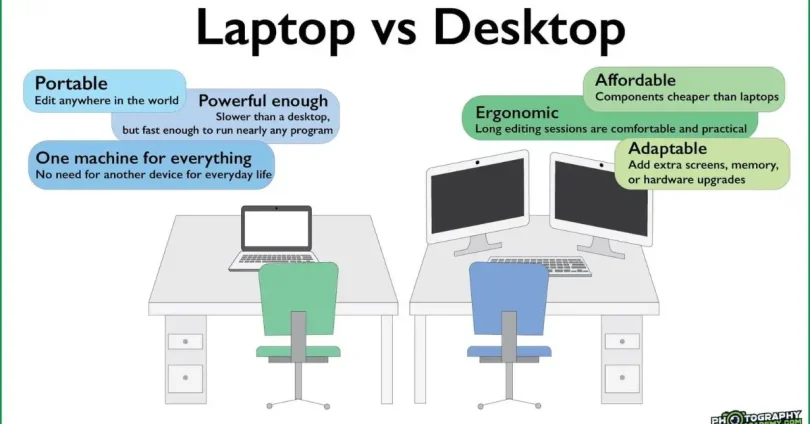
A laptop offers the freedom to work from a coffee shop, your bed, or during long commutes. On the other hand, a desktop computer remains the undisputed champion of sheer performance, upgradability, and ergonomic comfort. Choosing the right one isn’t just about specs; it is about aligning your hardware with your daily habits and long-term goals.
In this guide, we will peel back the layers of these two giants. We will explore why the choice matters, what technical factors you should consider, and how you can decide which machine will truly earn its place on your desk. By the end of this article, you will have a crystal-clear understanding of whether you need the nomadic power of a laptop or the stationary beast of a desktop. Let’s dive into the technical details and find your perfect match.
What is a Laptop vs Desktop?
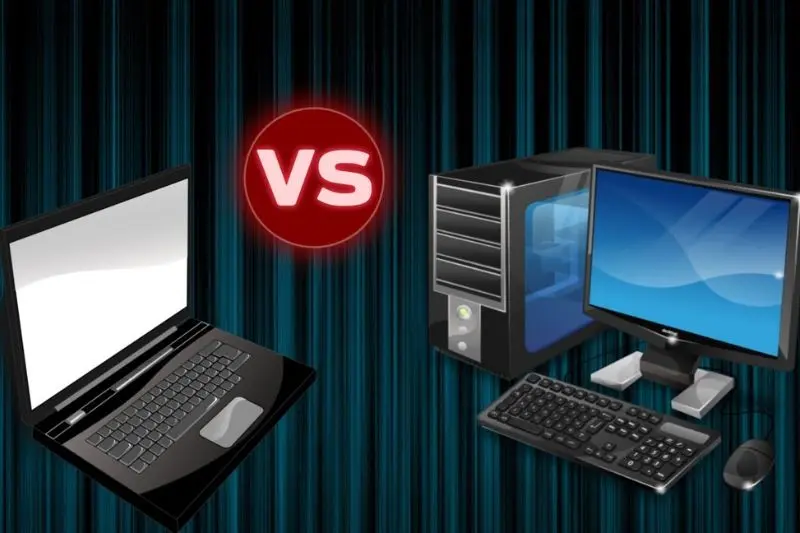
When we talk about a laptop vs desktop, we are essentially comparing mobile computing against stationary workstations. A laptop is an all-in-one portable device. It integrates a screen, keyboard, trackpad, battery, and internal components into a single, compact chassis. It is designed for users who need their digital workspace to follow them wherever they go.
Conversely, a desktop computer is a modular system. It typically consists of a tower (which houses the processor, graphics card, and storage), a separate monitor, a keyboard, and a mouse. Because it does not rely on a battery, it draws constant power from a wall outlet. This allows desktops to house larger components, better cooling systems, and more expansive storage configurations compared to their portable counterparts.
Why is Laptop vs Desktop Important?
The decision between a laptop vs desktop is critical because it dictates your workflow and your budget efficiency for the next three to five years. For instance, if you are a video editor who travels frequently, a high-end laptop is a necessity. However, if you are a competitive gamer who wants the best thermal performance for the lowest price, a desktop is objectively the superior investment.
Selecting the wrong form factor can lead to “buyer’s remorse.” A desktop owner who suddenly needs to attend classes on campus will find themselves unable to move their station, while a laptop owner who finds their screen too small for complex coding might feel stifled. Understanding the strengths and weaknesses of each platform ensures you spend your hard-earned money on a device that enhances your productivity rather than hindering it.
Detailed Step-by-Step Guide to Choosing Your Machine
Assess Your Mobility Needs
The first step in the laptop vs desktop journey is brutal honesty about your lifestyle. Do you work from multiple locations? Do you like working in different rooms of your house? If the answer is yes, a laptop is mandatory. If you spend 95% of your time at one desk, a desktop is usually the more ergonomic and cost-effective choice.
Define Your Performance Requirements
What software do you run? Casual browsing, word processing, and light streaming can be handled by almost any modern device. However, 3D rendering, intensive data analysis, or high-end gaming require significant power. Desktops generally offer better “bang for your buck” here, as you can pack more raw cooling and processing power into a larger case than a thin laptop chassis allows.
Consider Upgradability and Longevity
One of the major differences in the laptop vs desktop debate is the ability to upgrade. With a desktop, you can easily swap out a graphics card, add more RAM, or include additional storage drives as your needs change over the next few years. Most laptops, however, have soldered components. Once you buy a laptop, what you see is usually what you get for the life of the machine.
Benefits of Laptop vs Desktop
Benefits of Laptops
- Ultimate Portability: Carry your entire digital life in a backpack.
- All-in-One Convenience: No need to buy separate monitors or peripherals.
- Battery Power: Continue working even during unexpected power outages.
- Space Saving: Perfect for small dorm rooms or minimalist desk setups.
- Integrated Features: Built-in webcams, microphones, and Wi-Fi antennas.
Benefits of Desktops
- Superior Performance: Better cooling leads to higher sustained speeds.
- Cost Efficiency: You get more computing power for the same price compared to a laptop.
- Ergonomics: You can place your monitor at eye level and use a full-sized mechanical keyboard.
- Easy Repairs: If a part breaks, you can replace that specific component without tossing the whole unit.
- Longevity: Easier to upgrade individual parts to keep up with new technology.
Disadvantages / Risks
Risks of Laptops
- Fragility: High risk of screen cracks, hinge damage, and spill-related failures.
- Thermal Throttling: Small fans can lead to slower performance during heavy tasks.
- Limited Upgrades: You are often stuck with the RAM and storage you purchase at the start.
- Battery Degradation: Batteries lose capacity over time, eventually limiting mobility.
Risks of Desktops
- Zero Portability: It is essentially furniture; moving it is a major project.
- Power Dependency: You must have a constant electrical supply; they are useless during blackouts.
- Component Bulk: You need to find space for the tower, monitor, and cables.
- Hidden Costs: You must buy your monitor, mouse, and keyboard separately if they aren’t included in a bundle.
Common Mistakes to Avoid
The biggest mistake people make is choosing a device based on aesthetics rather than utility. Just because a laptop looks sleek doesn’t mean it can handle your video editing software. Similarly, buying a massive, expensive desktop when you only need a machine for email and web browsing is a waste of money.
Another common error is ignoring the display requirements. Many users focus entirely on the CPU or RAM but forget that a desktop monitor is a crucial part of the user experience. Always account for the cost of a high-quality monitor when budgeting for a desktop. Lastly, avoid the trap of “future-proofing” too aggressively; buy what you need today, as technology prices drop rapidly over time.
Which is better for gaming, a laptop vs desktop?
A desktop is significantly better for gaming. Desktops offer better airflow, which keeps components cool, allowing them to run faster. They also allow for easier GPU upgrades.
Can I use a laptop as a desktop?
Yes. Many people use a “docking station” setup where they plug their laptop into a large monitor, mouse, and keyboard, effectively turning it into a desktop-like experience when at home.
Are desktops more expensive than laptops?
Surprisingly, no. For the same level of performance, desktops are often cheaper because laptop parts must be miniaturized, which increases their manufacturing costs.
How long does a desktop usually last compared to a laptop
Desktops typically last longer (5–7 years) because they are easier to clean and upgrade. Laptops often start to feel slow after 3–4 years due to component aging and battery wear.
What if I am a student?
If you are a student, a laptop is almost always the correct choice. You need the flexibility to take notes in lectures and complete assignments in libraries or group study sessions.
Can I build my own desktop?
Yes, and this is a major benefit of the desktop platform. Building a PC allows you to choose exactly which parts you want, often saving money and ensuring maximum quality.
Expert Tips & Bonus Points
If you decide to go with a laptop, invest in a good external cooling pad. It helps maintain performance during long work sessions. If you choose a desktop, prioritize a modular power supply—it makes cable management much cleaner and upgrades significantly easier.
Furthermore, always consider the “desk-space” factor. If your living area is small, a modern “Mini-PC” might be the perfect middle ground between a laptop and a full tower. These machines are tiny, quiet, and powerful enough for most intermediate tasks, offering a cleaner look than a bulky tower without the portability constraints of a mobile device.
Conclusion
Deciding between a laptop vs desktop is not about finding which device is “better” in a vacuum; it is about finding which tool fits the shape of your life. If your career or studies require you to be a digital nomad, the laptop is an essential companion that offers the convenience and freedom to create from anywhere. Its all-in-one design is a marvel of modern engineering that prioritizes accessibility above all else.
Conversely, if you value raw power, ergonomic health, and the ability to customize your system as technology evolves, the desktop computer remains the king of the workspace. It rewards those who prioritize stability and performance over movement. The desktop is a foundation for deep work, whether that involves high-end graphic design, complex software development, or immersive gaming.
As you reflect on the differences highlighted here, look at your typical day. Where do you spend your time? What software makes you the most productive? By answering these questions, you will see the path forward clearly. Whether you choose the compact efficiency of a laptop or the robust versatility of a desktop, ensure your decision is based on your unique needs. Invest in the machine that allows you to do your best work, and you will never regret the purchase. Technology is meant to serve your goals—so choose the partner that helps you achieve them most effectively.