
introduction
Choosing the right wireless technology has become more important than ever. Whether you work from home, stream 4K videos, attend online meetings, or play competitive games, your Wi-Fi connection directly affects your daily experience. As internet speeds continue to improve, router manufacturers are introducing newer Wi-Fi standards that promise better performance, higher speeds, and improved reliability.
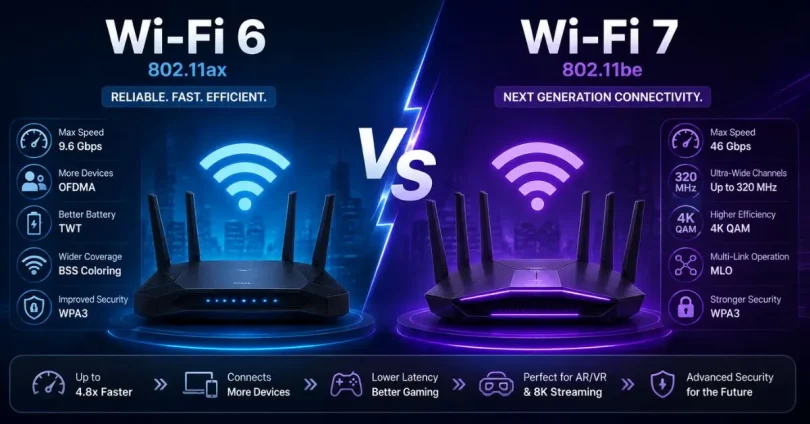
The debate around Wi-Fi 6 vs Wi-Fi 7 has gained significant attention because many users are wondering whether upgrading to the latest technology is worth the investment. While Wi-Fi 6 already offers excellent performance for most households, Wi-Fi 7 introduces several advanced features designed to handle the growing number of connected devices and demanding online activities.
Understanding the differences between these two standards can help you make a smarter purchasing decision. Instead of focusing only on maximum speed, it is important to compare factors like latency, bandwidth, compatibility, security, and real-world performance.
In this detailed guide, you’ll learn everything about Wi-Fi 6 vs Wi-Fi 7, including their features, advantages, disadvantages, practical use cases, and which one is the better choice based on your needs. Whether you’re a beginner or someone familiar with networking, this guide will simplify the comparison and help you confidently choose the right wireless technology.
What is Wi-Fi 6 vs Wi-Fi 7?
Before comparing them, it’s important to understand what each Wi-Fi generation offers.
What is Wi-Fi 6?
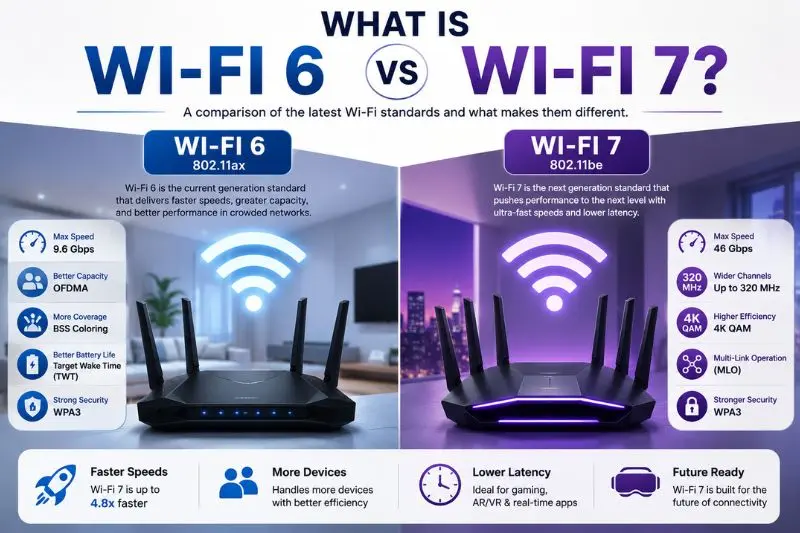
Wi-Fi 6, also known as IEEE 802.11ax, was introduced to improve wireless efficiency rather than simply increasing speed. It was designed for homes and offices where many devices connect to the same network simultaneously.
Key features include:
- Faster wireless speeds
- Better performance in crowded areas
- Improved battery life for connected devices
- Higher network efficiency
- Stronger security with WPA3 support
Wi-Fi 6 performs exceptionally well in modern households with smartphones, laptops, tablets, smart TVs, security cameras, and smart home devices.
What is Wi-Fi 7?
Wi-Fi 7 is the next generation of wireless networking based on the IEEE 802.11be standard. It builds upon Wi-Fi 6 by introducing major improvements in speed, latency, channel width, and multi-device communication.
Its primary goal is to support:
- Ultra-fast internet connections
- 8K video streaming
- Virtual Reality (VR)
- Augmented Reality (AR)
- Cloud gaming
- AI-powered applications
- Professional content creation
Simply put, Wi-Fi 7 is designed for the future of wireless connectivity.
Why is Wi-Fi 6 vs Wi-Fi 7 Important?
Wireless technology affects nearly every online activity today.
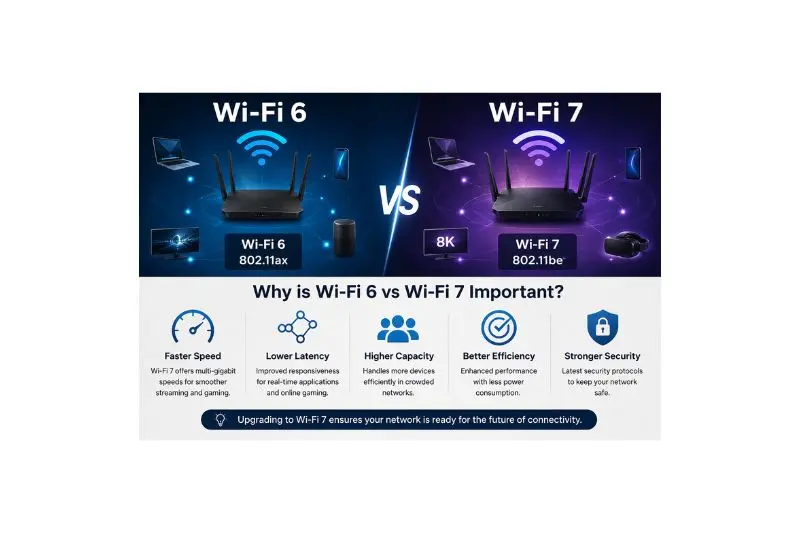
Understanding Wi-Fi 6 vs Wi-Fi 7 helps you:
- Choose the right router
- Avoid overspending
- Improve gaming performance
- Stream higher-quality videos
- Support more connected devices
- Future-proof your home network
- Reduce lag during online meetings
As internet service providers continue offering faster fiber connections, having an outdated router may prevent you from enjoying your full internet speed.
Detailed Step-by-Step Guide
Step 1: Compare Maximum Speed
Speed is one of the biggest differences.
Wi-Fi 6 Speed
- Maximum theoretical speed: 9.6 Gbps
Real-world speeds usually range between:
- 600 Mbps
- 1.5 Gbps
- 2 Gbps
depending on your internet plan and hardware.
Wi-Fi 7 Speed
Maximum theoretical speed:
- Up to 46 Gbps
This makes Wi-Fi 7 almost five times faster than Wi-Fi 6 under ideal conditions.
Winner: Wi-Fi 7
Step 2: Compare Channel Width
Wi-Fi channels act like highways for data.
Wi-Fi 6
Supports:
- 20 MHz
- 40 MHz
- 80 MHz
- 160 MHz
Wi-Fi 7
Supports:
- Up to 320 MHz channels
A wider channel means significantly more data can travel simultaneously.
Winner: Wi-Fi 7
Step 3: Compare Latency
Latency measures how quickly data travels between your device and the internet.
Lower latency matters for:
- Online gaming
- Video calls
- VR
- Remote desktop
- Cloud gaming
Wi-Fi 7 introduces Multi-Link Operation (MLO), allowing devices to communicate across multiple frequency bands simultaneously.
Result:
- Faster response time
- More stable connection
- Reduced lag
Winner: Wi-Fi 7
Step 4: Compare Multi-Device Performance
Modern homes often have over 20 connected devices.
Examples include:
- Smartphones
- Smart TVs
- Tablets
- Security cameras
- Smart speakers
- Gaming consoles
- Smart lights
Wi-Fi 6 introduced OFDMA and MU-MIMO to handle many devices efficiently.
Wi-Fi 7 improves these technologies even further by allowing simultaneous communication across multiple links.
Winner: Wi-Fi 7
Step 5: Compare Gaming Performance
Gamers demand:
- Low ping
- Stable connection
- Fast downloads
- Minimal packet loss
Wi-Fi 6 Gaming
Excellent for:
- Multiplayer games
- Console gaming
- PC gaming
- Game downloads
Wi-Fi 7 Gaming
Even better because of:
- Lower latency
- Higher bandwidth
- Multi-Link Operation
- Reduced congestion
Competitive gamers will notice smoother gameplay.
Winner: Wi-Fi 7
Step 6: Compare Streaming Quality
Today’s streaming platforms offer:
- 4K
- 8K
- HDR
- Live streaming
Wi-Fi 6 handles multiple 4K streams comfortably.
Wi-Fi 7 is built for multiple 8K streams without buffering.
Winner: Wi-Fi 7
Step 7: Compare Compatibility
This is important before upgrading.
Wi-Fi 6 routers support:
- Older Wi-Fi 5 devices
- Wi-Fi 4 devices
- New Wi-Fi 6 devices
Wi-Fi 7 routers remain backward compatible with older devices.
However, to enjoy Wi-Fi 7 speeds, both the router and the connected device must support Wi-Fi 7.
Winner: Tie
Step 8: Compare Security
Both standards support:
- WPA3 encryption
- Improved authentication
- Better protection against attacks
There isn’t a major security difference.
Winner: Tie
Step 9: Compare Cost
Price is often the deciding factor.
Wi-Fi 6
Advantages:
- Affordable
- Many router options
- Great value
Wi-Fi 7
Currently:
- More expensive
- Premium hardware
- Higher setup cost
Prices are expected to decrease over time.
Winner: Wi-Fi 6
Step 10: Which One Should You Buy?
Choose Wi-Fi 6 if you:
- Have internet below 1 Gbps
- Browse daily
- Watch Netflix
- Use Zoom
- Work from home
- Want better value
Choose Wi-Fi 7 if you:
- Have multi-gig fiber internet
- Stream 8K content
- Play competitive games
- Own many smart devices
- Need future-proof networking
- Create professional content
Wi-Fi 6 vs Wi-Fi 7 Comparison Table
| Feature | Wi-Fi 6 | Wi-Fi 7 |
|---|---|---|
| Maximum Speed | 9.6 Gbps | 46 Gbps |
| Channel Width | 160 MHz | 320 MHz |
| Latency | Low | Extremely Low |
| Gaming | Excellent | Outstanding |
| Streaming | 4K | 8K |
| Multi-Link Operation | No | Yes |
| Multi-device Support | Excellent | Superior |
| Security | WPA3 | WPA3 |
| Cost | Lower | Higher |
| Future Ready | Good | Excellent |
Benefits of Wi-Fi 6 vs Wi-Fi 7
Benefits of Wi-Fi 6
- Affordable routers
- Excellent home performance
- Handles many devices well
- Improved battery life
- Reliable streaming
- Great gaming experience
- Strong security
Benefits of Wi-Fi 7
- Extremely fast speeds
- Ultra-low latency
- Better cloud gaming
- Supports 8K streaming
- Future-proof technology
- Better for smart homes
- Improved network efficiency
- Faster large file transfers
Disadvantages / Risks
Wi-Fi 6
- Slower than Wi-Fi 7
- Limited future scalability
- Doesn’t support Multi-Link Operation
Wi-Fi 7
- Higher purchase cost
- Limited compatible devices currently
- Premium routers can be expensive
- Benefits may be unnecessary for casual users
Common Mistakes to Avoid
Many buyers upgrade without considering their actual needs. Avoid these common mistakes:
- Buying Wi-Fi 7 without compatible devices.
- Assuming internet speed automatically increases after upgrading.
- Ignoring router placement.
- Using outdated network cables with high-speed internet.
- Purchasing the cheapest router without checking specifications.
- Forgetting to update router firmware.
- Choosing Wi-Fi 7 when Wi-Fi 6 already meets daily needs.
- Ignoring the number of connected devices in your home.
- Not checking ISP speed before upgrading.
- Expecting maximum advertised speeds in every situation.
FAQs
Is Wi-Fi 7 really faster than Wi-Fi 6?
Yes. Wi-Fi 7 offers a theoretical maximum speed of up to 46 Gbps, compared to 9.6 Gbps for Wi-Fi 6. Real-world performance depends on your internet plan, devices, and network conditions.
Do I need a new router for Wi-Fi 7?
Yes. You need a Wi-Fi 7-compatible router. Older Wi-Fi 6 routers cannot provide Wi-Fi 7 features.
Can Wi-Fi 6 devices connect to a Wi-Fi 7 router?
Yes. Wi-Fi 7 routers are backward compatible with older Wi-Fi devices, including Wi-Fi 6, Wi-Fi 5, and Wi-Fi 4.
Is Wi-Fi 7 worth buying in 2026?
If you have multiple high-performance devices, multi-gig internet, or want a future-proof setup, Wi-Fi 7 is a worthwhile investment. Otherwise, Wi-Fi 6 remains an excellent choice for most users.
Does Wi-Fi 7 improve gaming?
Yes. Lower latency, reduced interference, and Multi-Link Operation make online gaming smoother and more responsive.
Which is better for a smart home?
Wi-Fi 7 is better for large smart homes with dozens of connected devices. However, Wi-Fi 6 performs very well for average households.
Expert Tips & Bonus Points
- Place your router in a central location for the best coverage.
- Keep your router firmware updated regularly.
- Use WPA3 security whenever available.
- Upgrade your devices gradually to support newer Wi-Fi standards.
- Use the 6 GHz band if your devices support it for less interference.
- Pair Wi-Fi 7 with a multi-gig internet plan to maximize performance.
- Consider mesh Wi-Fi systems for larger homes instead of relying on a single router.
- Restart your router occasionally to maintain stable performance.
- Avoid placing routers behind walls, metal objects, or large appliances.
- Choose routers with faster processors and more RAM if you connect many devices.
Conclusion
The comparison between Wi-Fi 6 vs Wi-Fi 7 shows that both technologies offer impressive wireless performance, but they serve different types of users. Wi-Fi 6 remains an outstanding option for most homes and small offices because it delivers fast speeds, reliable connectivity, strong security, and excellent value. For everyday tasks such as web browsing, video streaming, online learning, remote work, and casual gaming, Wi-Fi 6 provides more than enough performance.
On the other hand, Wi-Fi 7 represents the next generation of wireless networking. With significantly higher speeds, wider channels, lower latency, and advanced technologies like Multi-Link Operation, it is designed to meet the demands of modern digital lifestyles. Users with multi-gig internet connections, 8K streaming needs, cloud gaming, virtual reality, or numerous connected devices will benefit the most from upgrading.
Ultimately, the best choice depends on your budget, internet plan, and long-term requirements. If you’re looking for a cost-effective and dependable solution today, Wi-Fi 6 is an excellent investment. However, if you want cutting-edge performance and a network ready for future technologies, Wi-Fi 7 is the clear winner. By understanding the differences between Wi-Fi 6 vs Wi-Fi 7, you can make an informed decision that delivers the best balance of speed, reliability, and value for years to come.